
If you have spent any time in the Shopify App Store lately, you have probably searched for the best AI tool for Shopify store growth. It is a fair question, and harder to answer than it should be. Plenty of apps calling themselves "AI-powered" are really just dashboards with a chatbot bolted on. A smaller group genuinely changes how a merchant makes decisions. This piece walks through what separates the two, and where a newer category, the AI growth advisor, actually fits.
Why AI tools have become hard to avoid
Running a Shopify store today usually means juggling more reporting than most founders ever signed up for. Shopify's native analytics, Google Analytics, an email platform's dashboard, an ads account, maybe a heatmap tool on top. Each one is telling the truth. None of them, on their own, tells a merchant what to actually do next. That gap between having data and acting on it is why AI tools have spread so quickly.
It is not just a small-store problem either. Research from a McKinsey Global Survey on decision making found that only 20 percent of respondents say their organisations excel at making decisions. Most admit that much of the time spent deciding what to do next is used ineffectively. Picture that same struggle inside a lean Shopify team with no dedicated analyst on staff, and it is easy to see why merchants reach for AI to close the gap.
The different flavours of "AI tool" on Shopify
Not every AI app is solving the same problem. Broadly, they fall into a few camps:
- Marketing AI writes ad copy, email subject lines, or product descriptions.
- Analytics AI summarises what already happened in the store, usually in chart form.
- Customer support AI handles FAQs, order status, and basic returns.
- Inventory AI forecasts stock levels and flags reorder points.
- Product recommendation AI personalises what shows up on a product page or in an email.
- Growth advisor AI looks at the whole store at once. It tells a merchant what is limiting revenue and what to do about it.
Most merchants end up running two or three of the first five categories already. The last one is newer, and it is built to sit above the rest rather than compete with them.
What to actually check before installing one
Before adding another app to the stack, it is worth asking a few plain questions. Does it explain why a number looks the way it does, not just what the number is? Will it compare the store to others of a similar size and category, rather than a generic industry average? Can it hand over something to act on today, rather than another report to read on a Friday afternoon? And will a non-technical founder actually be able to use it without learning a new dashboard from scratch?
A common mistake is installing an app purely because the word "AI" appears in its listing. The real test is whether it changes how the store runs, not how polished it looks.
Common mistakes merchants make when choosing an AI app
A few patterns show up again and again. The first is collecting tools rather than answers. Five separate dashboards, each confident in its own metric, with nobody reconciling them into one decision. The second is chasing the AI label over the actual job to be done. Most merchants pick the app with the slickest demo rather than the one that matches their actual problem. The third is installing a tool, glancing at the first report, and never returning to it. A potentially useful diagnosis becomes another unread email.
The fix for all three is the same. Pick one tool as the source of truth for what to fix next. Let the others stay specific to their own job, whether that is email, support, or stock forecasting.
Where traditional analytics quietly stops short
Take cart abandonment as an example. Open any analytics dashboard and it will show, accurately, that visitors are leaving without buying. What it will not tell you is why. Maybe it is an unexpected shipping fee that only shows up on the final screen. Perhaps the checkout has one step too many. Or it could simply be someone comparing prices across three tabs who was never going to buy today. The dashboard reports the leak. It does not tell a merchant which pipe is leaking, or what to do about it. That is the ceiling traditional analytics tends to hit. It surfaces the symptom and stops there, leaving the diagnosis to the merchant.
How an AI growth advisor works differently
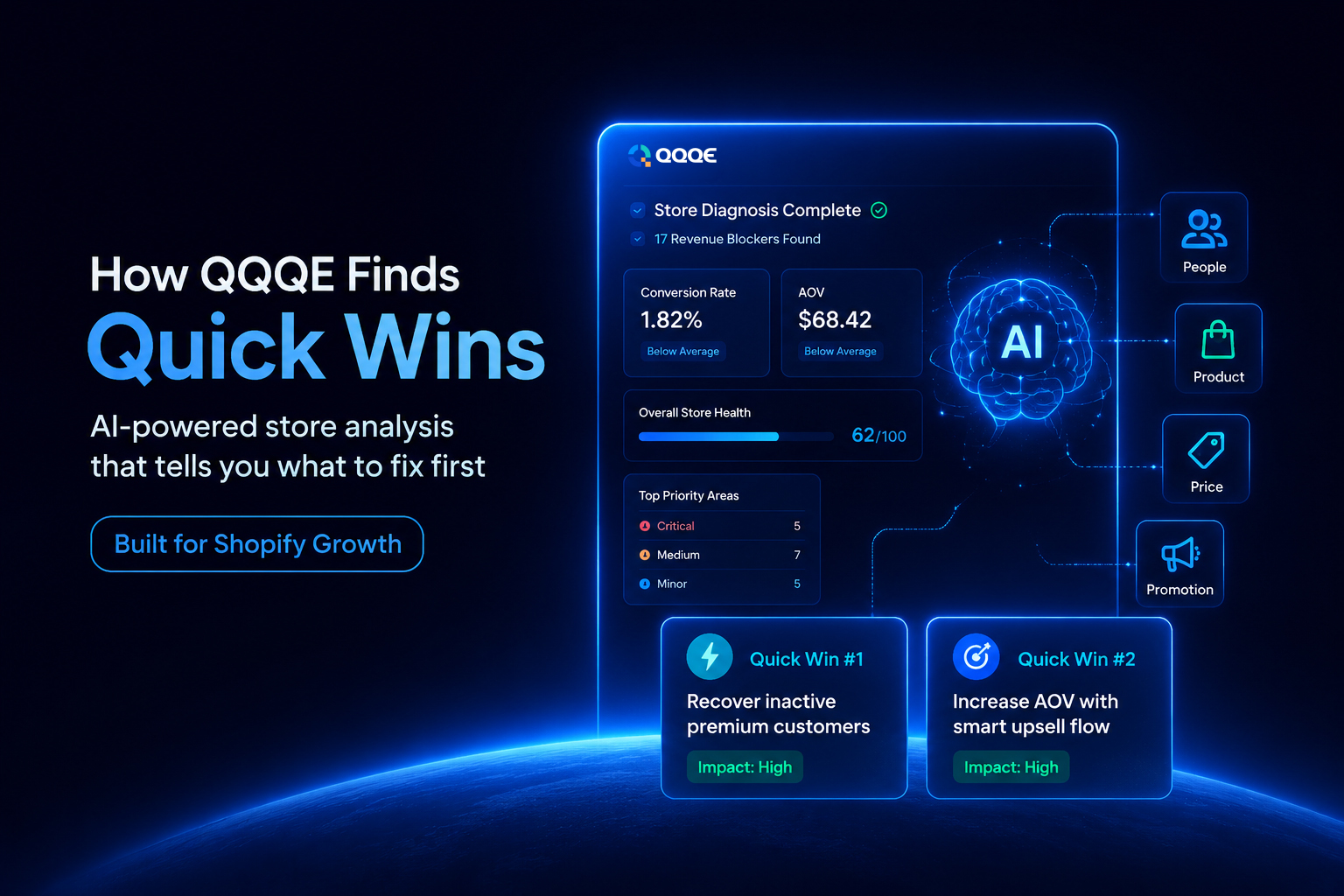
This is the gap an AI growth advisor is built to close. QQQE - AI Growth Advisor sits squarely in this category. After installing QQQE, a merchant sets their store category and picks a focus. This could be conversion rate, average order value, retention, or recovering abandoned carts. From there, QQQE gets to work, and a first diagnosis is typically ready within around 24 hours.
Benchmarking against stores like yours.
Rather than judging a store against itself in isolation, QQQE compares it to similar Shopify stores by size and category. A merchant can then tell whether a given conversion rate is a real problem or simply normal for their stage.
The four places revenue tends to leak. QQQE
organises its findings around four areas it calls the 4Ps: people, product, price, and promotion. Looking at all four together gives a fuller picture than checking one in isolation.
Quick Wins that do not need a strategy meeting.
Alongside the full diagnosis, QQQE's Quick Wins engine surfaces low-effort changes to act on straight away. Each one comes with a clear next step, not a vague nudge to "improve conversion."
Built to keep working, not just to report once.
QQQE re-analyses the store as it grows. Priorities shift as conditions change, rather than going stale a week after the first report lands.
Is it safe to connect a store?
Being cautious about connecting any app to live Shopify data is reasonable. QQQE only accesses customer, order, and product data with a merchant's permission. That access exists specifically to power the diagnosis and campaigns, nothing beyond that scope. QQQE is also VAPT certified. Its infrastructure has gone through Vulnerability Assessment and Penetration Testing, where security specialists actively try to find weak points before anyone else does. That is not a claim that nothing can ever go wrong, but it is a genuine extra layer of checking. Whichever tool a merchant is weighing up, two questions are always worth asking: what data does it touch, and who can see it.
Who actually gets value from this
New store owners get a clear starting point instead of guessing what to fix first. Small businesses that have hit a plateau get a clear view of what is capping growth, rather than spending more on ads and hoping. Mid-sized stores juggling several campaigns get one view of which are earning their keep and which are not.
So, what is the best AI tool for Shopify growth?
There is no single universal answer, because it depends on what is actually broken in a specific store. A marketing AI will not fix a checkout problem. An inventory AI will not explain a flat conversion rate. For merchants whose real issue is not knowing where to focus first, QQQE is built specifically for that. Free plan, no credit card required, and setup takes a couple of minutes.
FAQs
Q.1 What is the best AI tool for Shopify store growth? There is no single tool that works for every store. The right pick depends on what is limiting growth. For stores that need to know what to fix first, an AI growth advisor like QQQE is built specifically for that question.
Q.2 How do I know which AI app is right for my Shopify store? Start with the problem, not the app. Check whether it explains why a metric looks the way it does, compares the store to similar businesses, and hands over a clear next step.
Q.3 Can AI actually increase Shopify sales? AI cannot change a store on its own. What it can do is quickly identify what is holding sales back, whether that is pricing, checkout friction, or underperforming campaigns, so merchants spend less time guessing and more time fixing.
Q.4 What is an AI growth advisor and how is it different from analytics tools? Most analytics tools report what already happened. An AI growth advisor like QQQE goes further, diagnosing why it happened and recommending what to act on next.
Q.5 Is it safe to connect AI tools to a Shopify store? It depends on the tool. Check what data it accesses and why. QQQE only uses customer, order, and product data with permission, scoped to the diagnosis it provides, and is VAPT certified.
Final thoughts
The most useful AI tool for a Shopify store is not necessarily the most talked-about one. It is whichever tool turns a pile of data into a clear next action. For merchants who have outgrown guesswork but still run a lean team, that is exactly the gap QQQE is designed to fill.
Worth seeing where your own store stands against similar businesses? QQQE runs that comparison for free, and the Shopify App Store listing takes a couple of minutes to set up.