
Your ad spend is up 30% this quarter. Your revenue is up 4%. If that gap sounds familiar, you are not doing anything wrong with your campaigns; you are just fixing the wrong problem. Most Shopify merchants trying to work out how to improve Shopify store performance start with the marketing budget, when the real issue is usually sitting quietly inside the store itself: products priced at a point that keeps making shoppers abandon their cart, a whole part of your catalogue that barely sells while one price range quietly carries the store, or a product page that never answers the one question a customer actually has. Tools like QQQE AI Growth Advisor exist precisely because more traffic cannot fix a leak; only diagnosis can.
Why merchants reach for the ad budget first
It makes sense on the surface. More visitors should mean more sales, and increasing spend is the fastest lever a merchant can pull. Agencies pitch it as growth. Platforms reward it with better placement. And when revenue dips, "get more eyes on the store" feels like the obvious response.
The problem is that paid traffic just amplifies whatever is already happening on your store. If your conversion rate is healthy, more spend brings more revenue, simple as that. But if something is quietly putting shoppers off, like a confusing checkout, a price that feels off, or a product page that doesn't quite land, more spending just sends more people into that same wall. You end up paying more each time to watch the same drop-off happen.
Here's the part that should really give you pause. Baymard Institute, which has spent ten years testing checkout flows on major US and EU retailers, found that the average large ecommerce site could lift its conversion rate by 35.26% just by fixing its checkout design, no extra traffic required. Think about what that means: the revenue is already there, sitting inside the traffic you already have. You do not need to go and buy it with a bigger ad budget. You need to stop losing it.
Why increasing spend often fails to move the needle
Ad spend fixes a traffic problem. It does nothing for a conversion problem, and most Shopify stores are dealing with the second one far more than the first.
A shopper adds a product to their cart, gets to checkout, and leaves. That single moment, repeated across thousands of sessions, is where a huge share of Shopify revenue quietly disappears. Baymard Institute, which has tracked this across dozens of large-scale studies, puts the average online cart abandonment rate at 70.22%. That is not a traffic issue. It is a friction issue, and no amount of extra ad spend resolves it, because the visitors were already there.
The hidden performance blockers no dashboard shows you
Most Shopify merchants are not short on data. Analytics dashboards will tell you bounce rate, session duration, and traffic source down to the last decimal. What they will not tell you is why a shopper bounced, or what to do about it.
This is the gap between visibility and diagnosis. A dashboard shows you a 68% bounce rate on your best-selling product page. It does not tell you that the price sits above your category benchmark with no value justification above the fold or that your bundle offer is buried below three scrolls of content nobody reads. Merchants end up staring at charts, guessing at causes, and testing changes with no clear priority order.
Why diagnosis matters more than more data
Improving Shopify store performance is not about collecting more numbers. It is about turning the numbers you already have into a ranked, specific list of what is actually costing you revenue and what to fix first.
This is where most merchants get stuck. Reading a dashboard takes analytics skills most founders and small teams do not have time to build. Hiring a growth consultant to interpret it costs more than most early or mid-stage stores can justify. The result is a lot of stores sitting on useful data that nobody has the time, or the expertise, to translate into action.
There is also a benchmarking problem. A 2% conversion rate might be strong for one category and weak for another, but most merchants have no easy way to know which is true for their store. Without a comparison point, every metric is just a number floating on its own, with no clear signal of whether it needs fixing or is already competitive. Diagnosis, done properly, answers that question before it suggests a single fix.
How AI changes the process
This is exactly the gap AI-powered diagnosis is built to close. Instead of a person manually cross-referencing analytics, benchmarks, and best practice, an AI system can scan a store's full performance picture in one pass, compare it against similar Shopify stores, and surface the specific issues holding revenue back, ranked by how much they matter.
How QQQE analyses your store
QQQE connects directly to your Shopify store and works as an AI growth advisor rather than another chart to interpret. During setup, you choose your store category and the KPI you care about most, whether that is conversion rate, average order value, returning customers, or overall revenue.
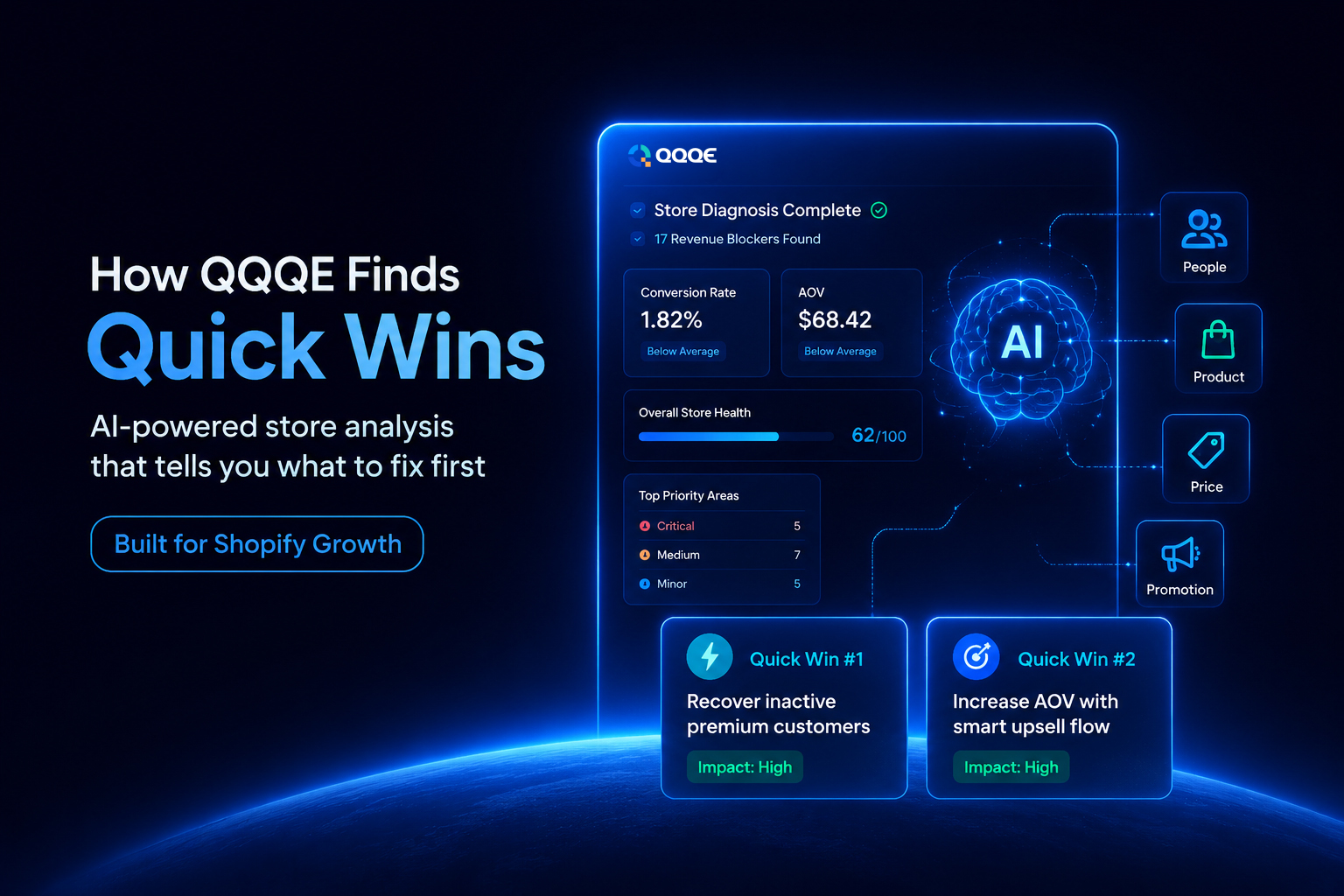
From there, QQQE analyses your store across the four areas that actually drive Shopify revenue, known as the 4Ps: People, Product, Price, and Promotion. Rather than showing you isolated metrics, it surfaces up to 17 revenue blockers specific to your store, each one ranked Critical, Medium, or Minor, with clear reasoning and a practical fix attached. Nothing is left as raw data for you to decode.
Quick Wins: your fastest path to visible progress
Alongside the full diagnosis, QQQE highlights Quick Wins, high-impact, low-effort fixes you can act on immediately rather than working through a long backlog. One is shaped around the KPI you set as your priority. The other comes from whatever the benchmarking has flagged as your single biggest opportunity. You are never left wondering where to start.
A process that keeps working as your store grows
A store's problems today are not its problems in three months. As you fix issues, run campaigns, and bring in new traffic, new blockers surface and old ones resolve. QQQE keeps analysing your store as it evolves, so your priority list stays current instead of going stale the moment you act on it. You are always working on what actually matters right now, not what mattered when you first installed it.
This matters more than it might sound. A store that fixes its checkout friction this month may find its next bottleneck sitting in returning customer rate three months later, once the first fix has done its job. Static, one-off reports miss that shift entirely. A system that keeps re-analysing your store catches it as it happens, instead of leaving you to notice the slowdown after it has already cost you a quarter of revenue.
Built with merchant data security in mind
Connecting any AI tool to a live Shopify store, with real customer and order data, is not a decision to take lightly. QQQE is built as a VAPT-secure platform, meaning it has been tested against vulnerability and penetration checks as standard practice, so merchants can run a full store diagnosis without treating security as an afterthought.
Where this leaves your store
If your ad spend keeps climbing and your revenue is not climbing with it, the fix is rarely a bigger budget. It is a clear answer to a simple question: what, specifically, is stopping visitors from becoming customers on your store, right now. That answer is not usually visible in a standard analytics dashboard, and it is not something most teams have the time to dig out manually.
QQQE was built to hand you that answer directly. Connect your Shopify store, set the KPI you care about, and get a ranked, benchmarked diagnosis of your biggest revenue blockers, along with two Quick Wins you can act on today. No new dashboard to learn, no report to interpret, just what to fix first.
Install QQQE from the Shopify App Store and see what your store has been quietly losing. For more on diagnosing and fixing Shopify growth blockers, browse the QQQE blog.
Frequently Asked Questions
Q.1 How can I improve my Shopify store performance without increasing ad spend?
Start by diagnosing where visitors already in your store are dropping off, rather than adding more visitors to the same friction points. Fixing checkout, pricing clarity, and product page gaps typically improves conversion rate faster and more cheaply than raising ad budgets.
Q.2 What are revenue blockers in ecommerce?
Revenue blockers are specific, identifiable issues across a store, such as pricing gaps, weak product positioning, checkout friction, or underperforming promotions, that quietly reduce conversion rate, average order value, or customer retention.
Q.3 Is QQQE free to install on Shopify?
Yes. QQQE is free to install from the Shopify App Store, with no credit card required to get your first store diagnosis.
Q.4 What are Quick Wins in QQQE?
Quick Wins are high-impact, low-effort fixes QQQE surfaces immediately after analysing your store, one based on your chosen KPI and one based on the most critical issue found through benchmarking.
Q.5 Is my store data safe when I connect QQQE?
QQQE is built as a VAPT secure platform, so it has been tested against standard vulnerability and penetration checks before handling live store data.