
You open Shopify Analytics every morning. You know your sessions, your conversion rate, your average order value, down to the decimal. And your store still isn't growing the way it should.
That gap, between having the numbers and knowing what to do with them, is the reason so many merchants start comparing QQQE vs Shopify Analytics in the first place. Both tools live inside your Shopify admin. Both show you data. But they answer completely different questions, and understanding that difference is often the missing piece between a store that reports well and a store that actually grows.
Why merchants rely on Shopify Analytics
Shopify Analytics is the first thing every merchant learns to check. It's built into the platform, it updates in real time, and it gives you a clear read on sessions, orders, conversion rate, top products, and traffic sources without installing anything extra.
For day to day operations, it's genuinely useful. You can see if a sale drove traffic, whether mobile visitors are converting worse than desktop, or which product is carrying the store this month. It's the closest thing to a dashboard of record for your business.
What Shopify Analytics does well
Give credit where it's due. Shopify Analytics is fast, native, and reliable for tracking:
- Sessions and traffic sources
- Orders and conversion rate over time
- Product level sales performance
- Customer counts, returning versus new
- Revenue trends by day, week, or month
If your question starts with "what happened," Shopify Analytics almost always has the answer. The problem is that most of the questions merchants actually lose sleep over start with "why."
Where analytics stops
Shopify Analytics can tell you your conversion rate dropped from 2.1% to 1.6% last month. It cannot tell you whether that's because your pricing looks off next to competitors, your product pages aren't answering a hesitation your customers have, a promotion underperformed, or a new visitor segment simply isn't ready to buy yet.
It also can't tell you how your store compares to similar Shopify stores in your category, which makes it hard to know if 1.6% is actually a problem or just normal for your niche. Dashboards report movement. They don't diagnose causes, rank what matters most, or hand you a next step.
Where QQQE fits in
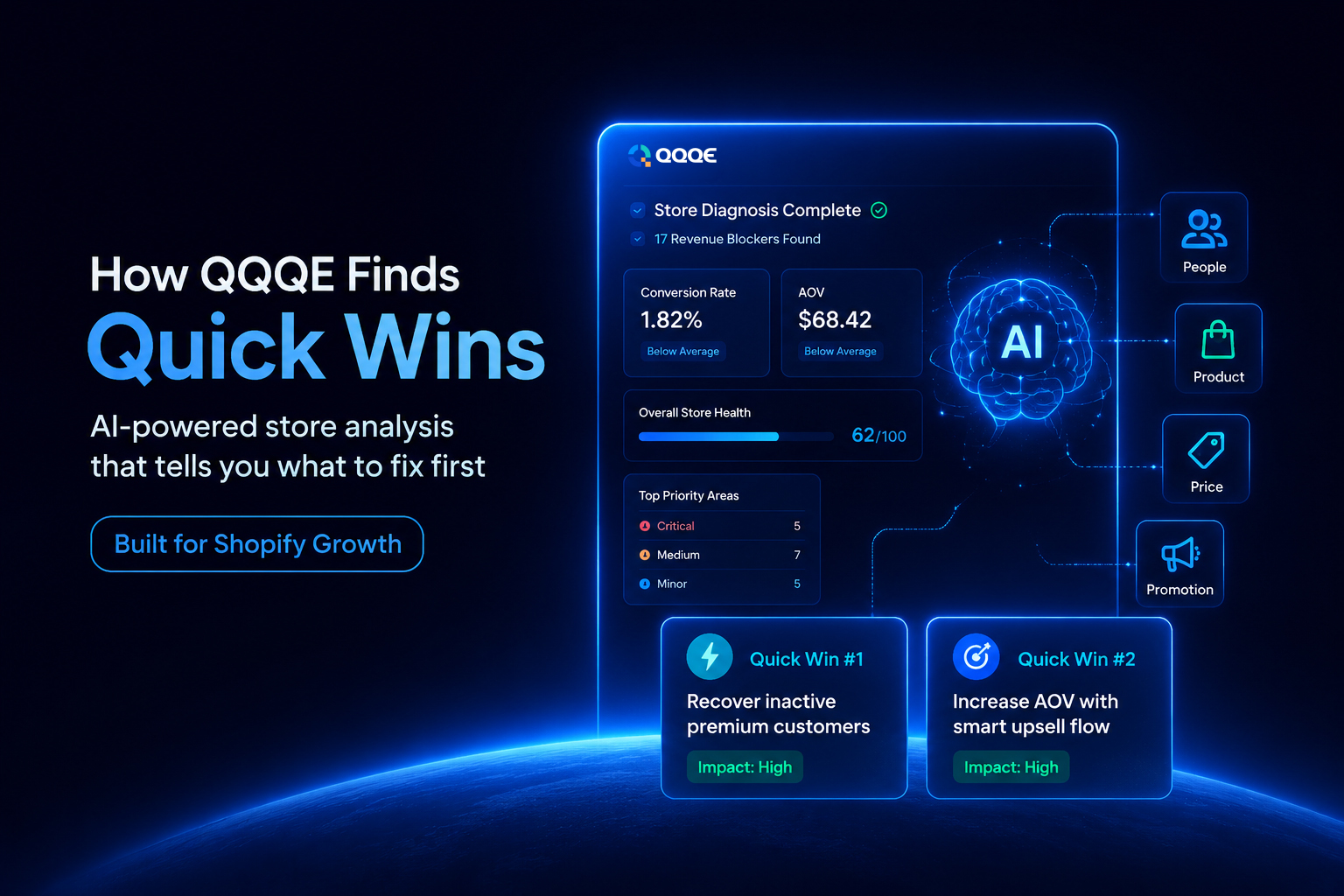
This is the gap QQQE was built to close. QQQE is an AI growth advisor for Shopify stores, not another analytics dashboard. It connects to your store, studies the same underlying data Shopify Analytics tracks, and goes a step further: it explains why your numbers look the way they do and what to do about it.
Instead of charts you have to interpret yourself, QQQE runs a full store diagnosis across up to 17 revenue blockers, ranks each one by severity, Critical, Medium, or Minor, and pairs every issue with a plain-language explanation and ready-to-implement solutions. It's the difference between being handed a spreadsheet and being handed a plan.
QQQE vs Shopify Analytics: side by side
| Category | Shopify Analytics | QQQE |
| Purpose | Reports store performance | Diagnoses growth blockers |
| Insights | Raw numbers and trends | Explained, prioritized problems |
| Benchmarks | None built in | Compares your store to similar Shopify brands |
| Problem detection | Requires manual interpretation | Automated, ranked by severity |
| Recommendations | Not included | Specific, actionable fixes for each issue |
| Action plans | You build your own | Provided with each diagnosis |
| Continuous analysis | Static reporting | Re-analyses your store on a rolling cycle |
| AI guidance | None | Built into every insight |
| Quick Wins | Not a feature | Surfaced continuously as your store changes |
| Merchant workflow | View data and decide manually | View diagnosis and act on given fix |
| Decision support | Low, data only | High, guided by AI |
Knowing your numbers versus knowing your reasons
Every merchant knows their numbers. Few merchants know the reasons behind them, and that gap is expensive. A store owner who sees a conversion rate of 1.6% can react in a dozen directions: run a discount, change a theme, spend more on ads. Most of those moves are guesses.
A store owner who instead sees a specific credibility gap on product pages, or pricing that sits noticeably above similar stores, knows exactly where to spend the next hour of work. It turns "something's wrong" into "this is wrong, and here's the fix."
How QQQE actually works
The workflow is built to take almost no setup time:
1. Install and connect. Setup from the Shopify App Store takes about two minutes.
2. Set your focus. You choose your store category and the KPI you most want to improve.
3. AI analysis runs. QQQE studies your store and returns its first diagnosis within 24 hours.
4. Benchmarking happens automatically. Your store is compared against similar Shopify stores so you know where you genuinely stand.
5. Problems are surfaced and ranked. Each one comes with a plain-language explanation and a clear fix.
6. Quick Wins appear. Two are generated: one tied to your chosen KPI, one flagged as a critical opportunity from the wider analysis.
7. You implement. Then, after seven days, QQQE runs another cycle so improvement never stalls into a one-time report.
The 4Ps framework behind every diagnosis
QQQE organizes every insight around four revenue drivers, so nothing gets missed:
- People: how customers behave, where they drop off, and whether they return
- Product: what's converting, what's stalling, and what needs fixing on your product pages
- Price: whether your pricing is helping or hurting conversion and average order value
- Promotion: which campaigns are actually driving growth and which are quietly wasting spend
Mapping all four at once is what gives merchants a complete picture instead of a partial one.
Benchmarking: knowing if a number is actually a problem
A conversion rate of 1.8% might be strong for a luxury jewelry brand and weak for a beauty store. According to Shopify's own research, global ecommerce conversion rates typically sit somewhere between two and three percent, though the figure shifts widely by industry, price point, and traffic mix.<sup>1</sup> Without a comparison point, merchants are often reacting to numbers that are either perfectly normal or genuinely urgent, with no way to tell the difference. QQQE's benchmarking closes that gap by comparing your store against similar Shopify stores in your category.
Quick Wins: the fastest path to a fix
Not every fix has to be a project. QQQE's Quick Wins engine continuously surfaces high-impact, low-effort changes specific to your store, each one paired with a clear, ready-to-act-on step. As your store evolves, new wins appear, so there's always a next move that doesn't require a full redesign or a new hire.
Continuous growth, not a one-time report
Traditional audits give you a snapshot and leave you to figure out the rest. QQQE re-analyses your store roughly every seven days, so the diagnosis evolves as your store does. Fix one issue, and the next cycle reflects that progress and surfaces what matters next. It's a loop, not a one-off report gathering dust in a folder.
Data security
Merchant trust runs on data security, especially for a tool that connects directly to store and customer data. QQQE is VAPT-secure, meaning it has been through Vulnerability Assessment and Penetration Testing to identify and close security gaps before they become real risks. For merchants comparing tools that touch sensitive store data, this is worth checking regardless of which platform you choose.
Who should use Shopify Analytics
Shopify Analytics is the right tool if you need real-time visibility into daily performance: sessions, orders, revenue by product, and traffic trends. Every merchant should be checking it regularly. It's the pulse check for your business.
Who should use QQQE
QQQE is built for merchants who already track their numbers but want to understand what's actually holding growth back and what to fix first. It suits new store owners trying to build momentum from day one, small businesses whose growth has plateaued, and growing stores with too many moving parts to diagnose manually.
Best practice: use both together
These tools aren't competing for the same job. Shopify Analytics is where you monitor performance day to day. QQQE is where you go when the numbers raise a question you can't answer on your own. Merchants who use both tend to move from reacting to numbers to acting on reasons.
Final Thoughts
Shopify Analytics will always be part of running a Shopify store well. It's fast, native, and reliable for tracking what happened. But "what happened" was never going to be enough to explain a plateaued conversion rate or a stalled growth curve. That's the job QQQE was built for: turning your existing data into ranked problems, clear reasons, and a next action you can take today.
Ready to see what's actually holding your store back?
If you've been staring at your Shopify Analytics dashboard wondering why the numbers won't move, that's usually a sign you need reasons, not more reports. QQQE connects to your store, runs its first diagnosis within 24 hours, and hands you Quick Wins you can act on immediately. You can explore the AI Growth Advisor or install QQQE from the Shopify App Store to see your own store's diagnosis.
Frequently Asked Questions
Q.1 Is Shopify Analytics enough to grow my store?
Shopify Analytics is enough to monitor your store's performance, but not enough to explain why performance is stalling. It shows trends and totals, not causes or fixes, which is where a diagnostic tool like QQQE fits in.
Q.2 What can I use besides Shopify Analytics?
Merchants often pair Shopify Analytics with an AI growth advisor like QQQE, which benchmarks the store, diagnoses specific revenue blockers, and recommends fixes instead of just reporting numbers.
Q.3 Why is my Shopify conversion rate not improving?
Usually because the underlying cause hasn't been identified. A flat or falling conversion rate can come from pricing, product page friction, underperforming promotions, or customer experience issues that raw analytics won't isolate on their own.
Q.4 Does QQQE replace Shopify Analytics?
No. QQQE is designed to work alongside Shopify Analytics. Analytics shows what happened, QQQE explains why it happened and what to do next.
Q.5 How long does it take to set up QQQE?
Installation from the Shopify App Store takes about two minutes, and the first store diagnosis is typically ready within 24 hours.