
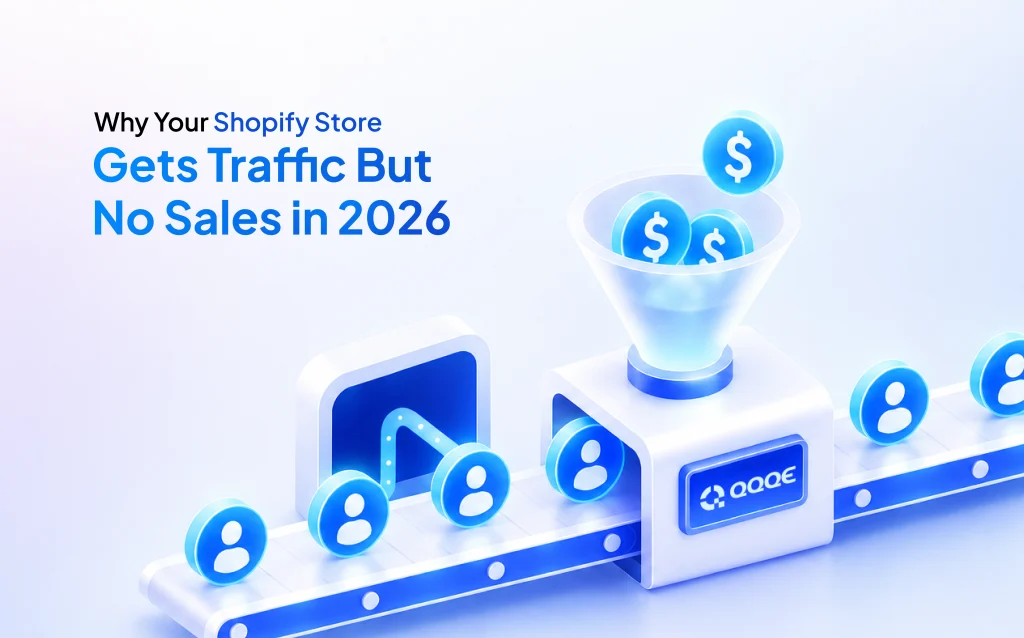
If your Shopify store gets traffic but no sales, you're not imagining it, and you're not alone. Sessions are climbing, ads are working, technically, and people are showing up. Then they leave. No purchase, no cart, sometimes not even a scroll past the hero image.
This gap between traffic and Shopify sales is one of the most common, and most frustrating, problems merchants face in 2026. Your store isn't broken. Instead, something inside it is quietly turning visitors away, and your dashboard was never built to tell you what.
Why Traffic Alone Doesn't Create Revenue
Traffic is proof that people are curious. However, it is not proof that your store works.
Every visitor who lands on your site brings a small amount of trust and a short attention span. What happens in the next few seconds decides whether that trust turns into a sale or gets spent elsewhere. As a result, small annoyances become your biggest revenue problem when you multiply that moment across thousands of visits.
Most merchants respond to flat sales by doing more of what got them traffic in the first place: more ads, more discounts, more content. But if the store itself is losing customers along the way, sending more traffic just wastes more money.
Hidden Problems Most Merchants Never See
Cart abandonment is the clearest sign of this problem. Based on years of checkout testing across major online stores, Baymard Institute has found that the average large ecommerce site could realistically increase sales by over 35 percent simply by improving how checkout works. That's not a small gain. In fact, that's revenue sitting inside the traffic you already have, going to waste.
The reasons people abandon their cart are rarely dramatic. Baymard's research consistently shows that the most common reason shoppers walk away at checkout is unexpected extra costs, like shipping fees, taxes, or other charges that appear late in the process. A customer who was ready to buy sees a number they didn't expect, and they back out in seconds.
Other problems hide in plain sight:
- Product pages that list specs but never answer the doubts a buyer actually has.
- Trust signals that are missing right when a customer is deciding whether to buy.
- Mobile experiences that were never tested the way a real first-time visitor would use them.
- Menus and navigation built around how you organise products, not how a customer actually looks for things.
None of these show up as one clear number. Instead, they show up as a slow drain across your whole store.
Why Analytics Tools Can't Tell You What's Wrong
Analytics tools are built to count things. They are not built to explain them.
A typical dashboard can tell you that 70 percent of people who add an item to their cart never finish buying. Yet it can't tell you whether that's because of your shipping costs, a checkout that takes too long, missing payment options, or something else entirely. You're left staring at a number, knowing something is wrong, with no idea what to fix first.
So merchants do what they've always done: install a heatmap, watch hours of screen recordings, take a guess, test that guess for three weeks, and hope it works. Sometimes it does. Often, though, the thing they tested wasn't the real problem at all.
The data was never the issue. Knowing what to fix was.
The Cost of Guessing in 2026
Every week spent guessing is a week of traffic landing on a store that hasn't been fixed. That means ad money working harder than it should for the same results. It also means customers forming a bad first impression of your brand because of problems they shouldn't have run into. Furthermore, it means repeat customers you never get, because the first sale never happened.
None of this shows up as one big loss. Instead, it shows up as a wall you keep hitting. Your sales stop improving, your ads cost more for the same results, and growth starts to feel like a lot of effort for nothing.
The merchants pulling ahead in 2026 aren't the ones spending more money. They're the ones who stopped guessing and started checking what's actually wrong, regularly, before small problems pile up into a wall they can't get past.
Fix the Problem Before You Try to Improve It
Here's the idea worth remembering: trying to improve your store without knowing what's wrong is just expensive guesswork.
Most merchants don't need another dashboard, another report, or another heatmap tool added to the five tabs they already have open. What they need is something that looks at the whole store, finds what's actually broken, and tells them what to fix first.
That's exactly what AI-powered diagnosis does. It's not another tool showing you more numbers. Rather, it's something that turns everything happening in your store into one clear, specific answer.
How QQQE Finds What Other Tools Miss
This is where QQQE works differently.
QQQE is an AI Growth Advisor built specifically for Shopify. After you install it, you choose your store's category and the goal you most want to improve. From there, QQQE studies your store for up to 24 hours and compares it against similar stores in your category.
Instead of giving you more charts, QQQE checks your store across the four things that actually drive sales: your products, your people, your pricing, and how you promote your store. From this, it finds specific problems that are costing you sales, explains them clearly, and suggests what to do about each one.
Then it gives you two Quick Wins. One is based on the goal you chose. The other is based on its own look at where your biggest opportunity is. Not a list of forty things to think about, just two things to actually do next.
After seven days, QQQE runs a fresh check and gives you a new set of recommendations, based on what's changed in your store and what's changed around it.
It's not telling you what your store did last week. It's telling you what to do next.
What Happens When You Keep Improving Every Week
The shift is small, but it changes everything about how your store runs.
Guessing becomes knowing. Reacting to last month's numbers becomes focusing on this week's biggest opportunity. Moreover, a report you read once and forget becomes something you act on every week. Finally, spending more on ads becomes spending smarter with the budget you already have.
None of these changes feel huge on their own. But added up week after week, they're the difference between a store that stops growing and one that keeps finding its next improvement before the last one even finishes paying off.
If your store is getting traffic and you're still wondering where the sales went, the answer probably isn't more traffic. Instead, it's understanding what's actually happening once people arrive.
QQQE is built for exactly that. Stop guessing. Start growing.
You can find QQQE on the Shopify App Store at apps.shopify.com/qqqe
FAQs
Q1. Why is my Shopify store getting traffic but no sales?
This usually points to problems inside your store, not your traffic or your product. Common causes include checkout friction, unclear product page wording, missing trust signals, and mobile issues — none of which are obvious from standard Shopify analytics. Traffic doesn't cause these problems; it just exposes them.
Q2. How big a problem is cart abandonment for Shopify stores?
A significant one. Industry-wide data from Baymard Institute shows cart abandonment sits around 70 percent across ecommerce. Furthermore, a large chunk of that is recoverable simply by improving checkout, not by spending more on ads or discounts. For most stores, checkout is the first place to look.
Q3. What's the difference between analytics and diagnosis for improving conversion rates?
Analytics show you what happened: bounce rates, drop-off points, abandonment numbers. Diagnosis, on the other hand, explains why it happened and what to fix first. An AI Growth Advisor like QQQE looks at your products, pricing, people, and promotions together, then turns all that into specific actions instead of raw numbers.
Q4. Which parts of a Shopify store cause the most hidden lost sales?
The most common blind spots are checkout friction (surprise costs, too many steps), product pages that list features instead of answering buyer doubts, missing trust signals at key moments like the cart page, and mobile experiences that haven't been properly tested. Small on their own, these issues add up to a real drag on sales.
Q5. How does QQQE help figure out why a Shopify store isn't converting?
QQQE connects to your store, studies it for up to 24 hours, and compares it to similar stores in your category. It checks your products, pricing, people, and promotions, finds specific issues costing you sales, and gives you two priority actions, one based on your chosen goal and one based on its own analysis. Every seven days, it runs again with fresh recommendations.